Site Coordinator Sections Tab.mp4
The Sections tab lists every course section, with ID, section Name, section Code, and Status (Active or Archived). 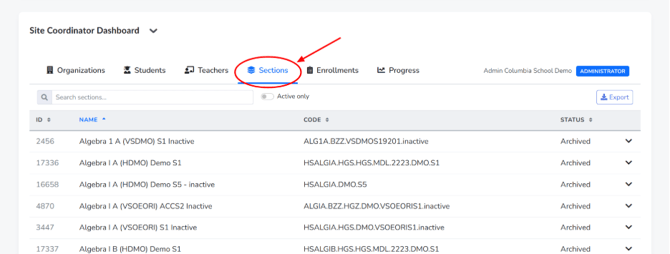
By default this includes archived/inactive sections, which can make the list very long. Toggle “Active only” (next to the search box) to instantly filter down to just currently running sections — this is the most common adjustment coordinators make here.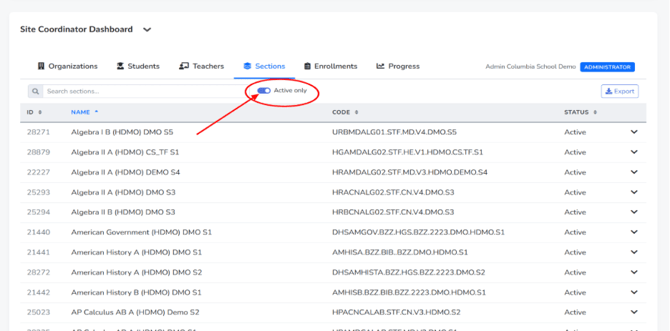
Expanding a section's row shows granular scheduling data: the linked course ID, credit value, assigned teacher ID, term, assignment counts, start/end dates, enrollment capacity, and grading configuration.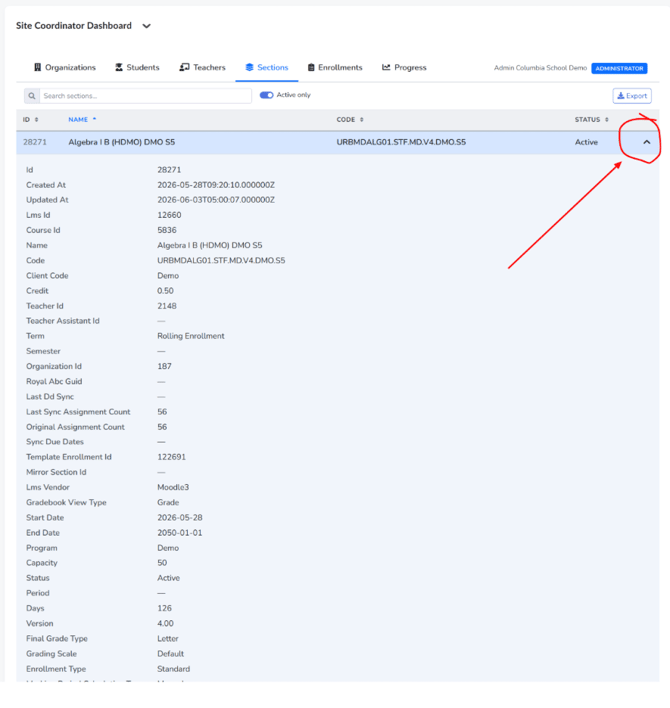
Use this tab when you need to verify whether a section is still active, check its date range, or confirm which teacher ID is attached to it before cross-referencing in the Teachers tab.