1. Course Navigation Bar
Clicking into any course takes you into that course's own environment, which uses a different, darker navigation bar: Course Home, My Calendar, Course Content, Progress & Grades, Communication, and Need Help?. 
2. Course Menus
|
Menu |
Expands To |
Notes |
|
Course Content |
Content, Course Admin, Groups |
Content holds the actual lessons/modules; Groups manages student groupings. |
|
Progress & Grades |
Pacing, Gradebook, Class Progress |
Class Progress is a per-student breakdown of access, % completed, grades, and quiz performance — good for a quick health check. |
|
Communication |
Classlist, Announcements |
Classlist shows everyone enrolled with role labels, plus print/export and an "Enrollment Statistics" button. Announcements here are course-specific, separate from school-wide ones. |
3. The Course Admin Hub
Course Admin, reached via Course Content, is a small hub organized into two categories, giving one-click access to the tools you'd use most as an administrator checking in on a class: 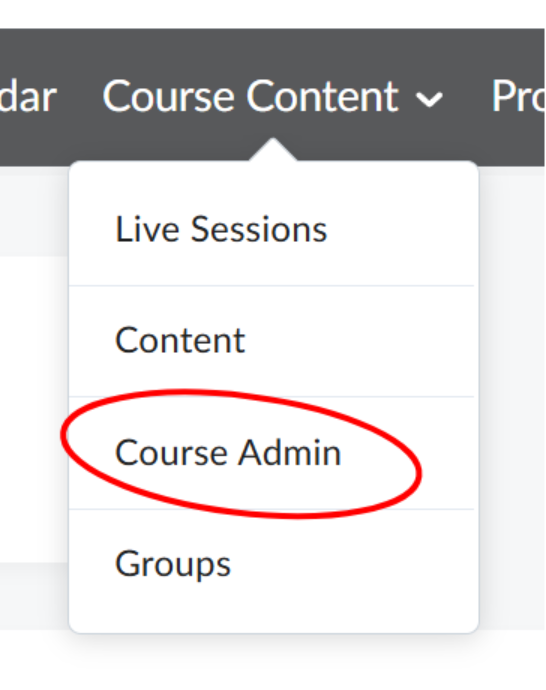
- Learner Management — Class Progress, Classlist.
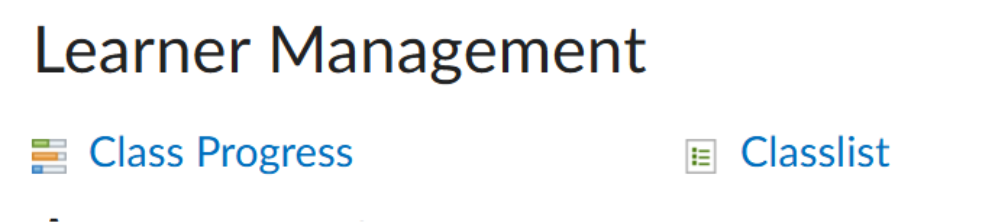
- Assessment — Grades, Quizzes.

- Contact Customer Support with the course name and section.
- Include a screenshot of the issue where possible.
Troubleshooting
|
Issue |
What To Do |
|
A course doesn't appear in "My Courses." |
Confirm you're enrolled in or have preview access to that course. |
|
Classlist counts don't match the Site Coordinator Dashboard. |
Classlist reflects this specific course/section; the Dashboard aggregates across all sections — small differences are expected. |
|
Gradebook or Class Progress won't load. |
Try a different browser or refresh the page before escalating. |
Escalation Path
If an issue isn't resolved using the steps above:
- Contact Customer Support with the course name and section.
- Include a screenshot of the issue where possible.