How to View Assignment and Quiz Feedback Comments.mp4
1. Open the desired course and click "Progress & Grades" in the course navigation bar. 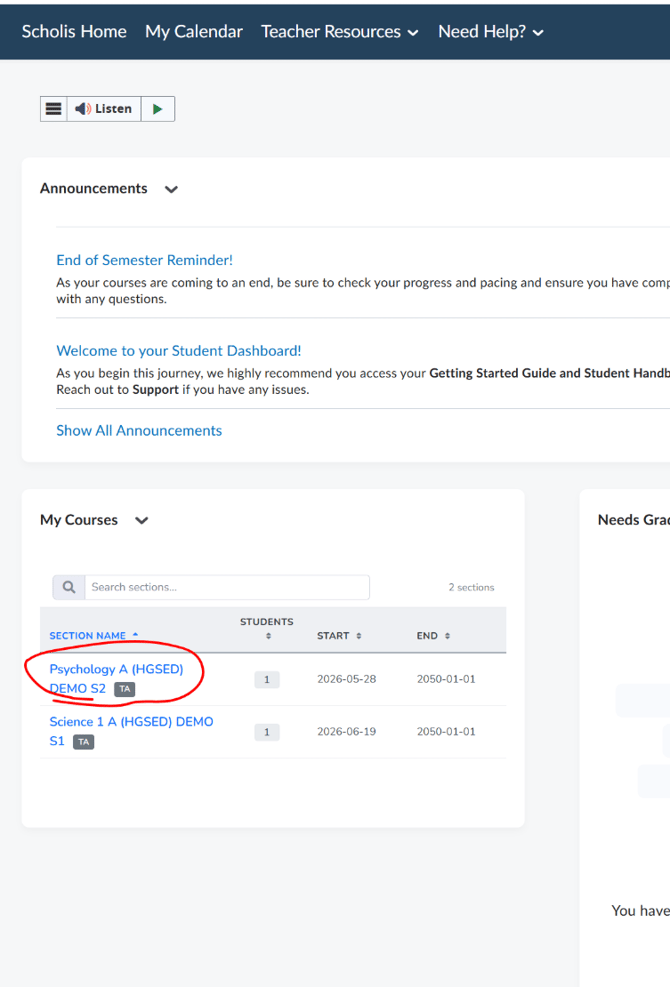
2. Select "Gradebook".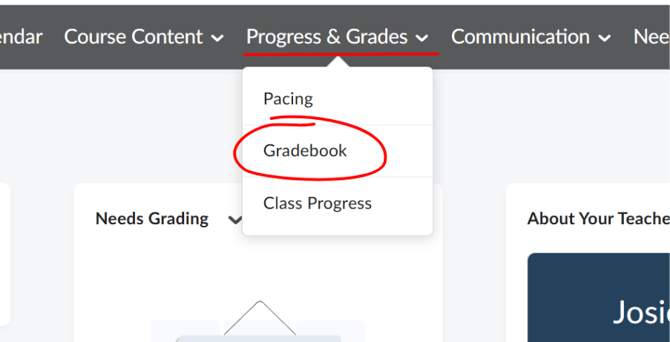
3. On the "Enter Grades" tab, find the student whose feedback you want to review. 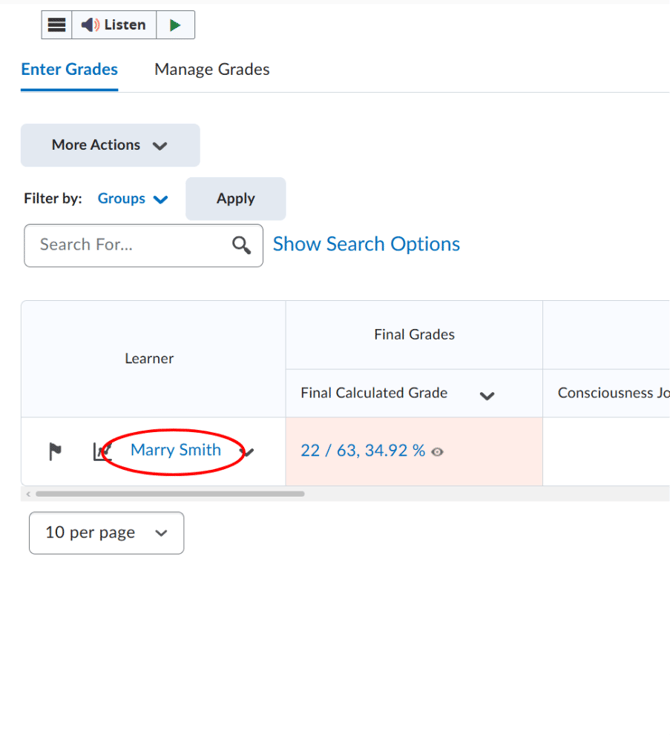
4. Click the student's name to open their individual grade page.
5. Under "Grade Items", locate the assignment or quiz you're interested in.
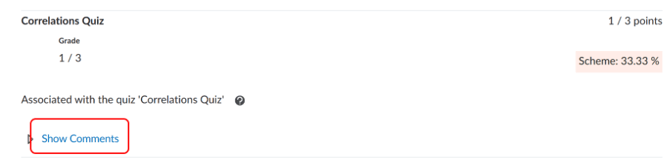
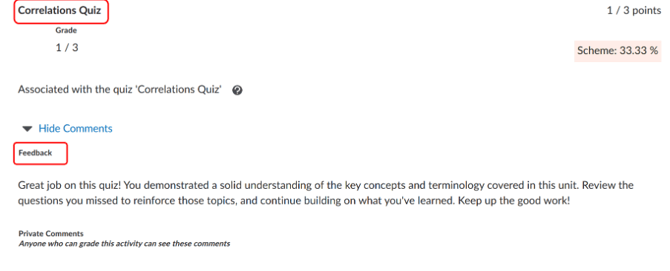
6. Click "Show Comments" beneath that item to reveal any Feedback and Private Comments left by the instructor.