Site Coordinator Students Tab.mp4
The Students tab is your full roster of enrolled students, showing ID, username, and first/middle/last name for each entry.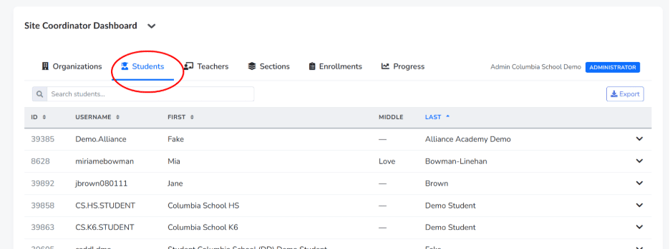
Use the search box to narrow the list by name; the table filters live as you type. Column headers (ID, Username, First, Last) are clickable to re-sort the list, which is useful when scanning a long roster alphabetically or by ID.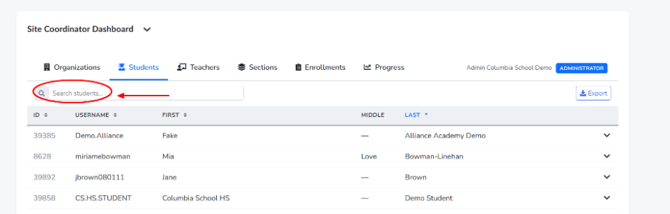
Click the chevron on a student's row to expand their full profile inline. This reveals identity fields (legal name, date of birth, gender, graduation year, grade level, counselor, enrollment status, program), contact fields (email, phone, full home address), and account fields (username, account status, organization ID).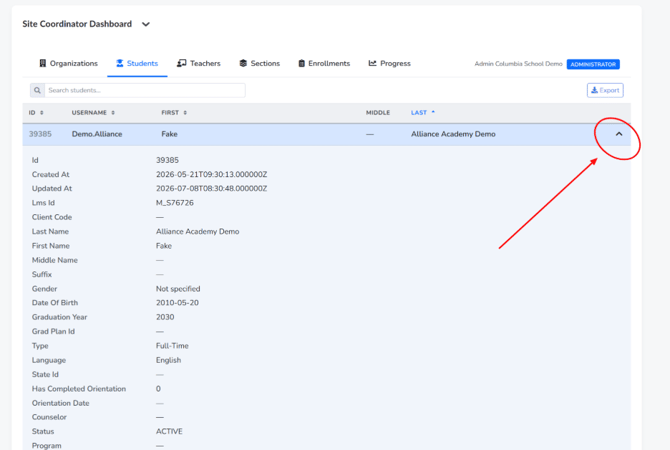
Because this view surfaces personal information, be mindful of who can see your screen when it is expanded, and only export this data when there is a legitimate, approved reason to do so.