How to check your grades
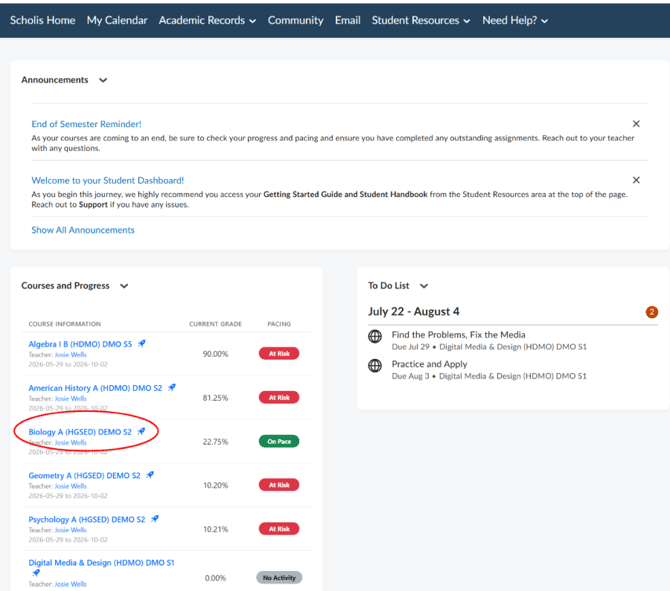
- Make sure you are inside a course. If you are on the main dashboard, click on your course name in the course listing.
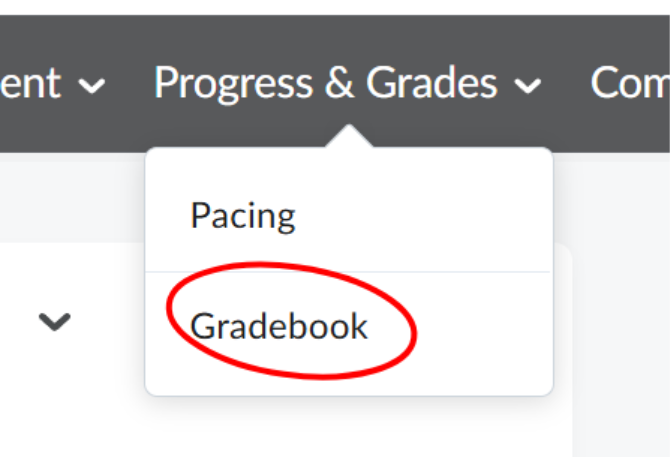
- In the course's top navigation bar (the dark bar at the top of the page), click "Progress & Grades."

- A dropdown menu will appear with two options: "Pacing" and "Gradebook." Click "Gradebook."
- The Grades page will open, showing a table with all your graded items organized into categories.
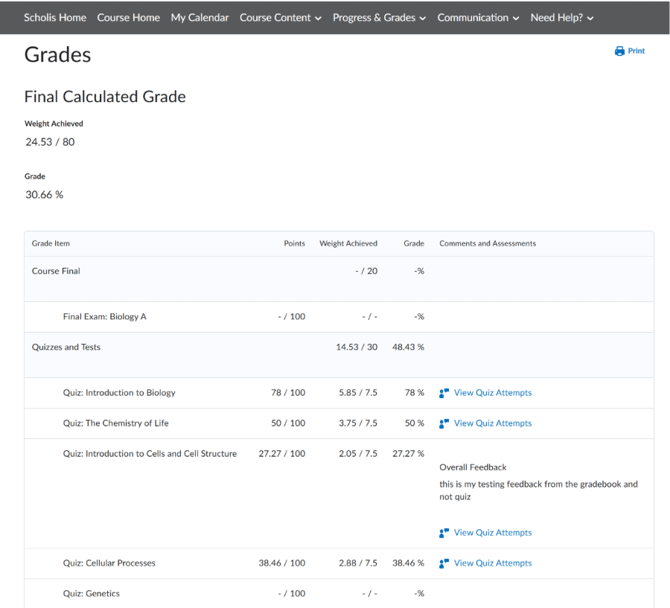
- The table has the following columns: Grade Item (assignment/quiz/discussion name), Points (your points earned / total possible points), Weight Achieved (how much this item counts toward your final grade), Grade (your percentage or letter grade), and Comments and Assessments (teacher feedback).
- Scroll down to review all your graded items. They are typically grouped by category, such as: Course Final, Quizzes and Tests, and Assignments and Discussions.
- To see any teacher feedback on a specific item, look in the "Comments and Assessments" column on the right side.
- Items showing "- / -" have not yet been graded. Items showing actual numbers have been graded.
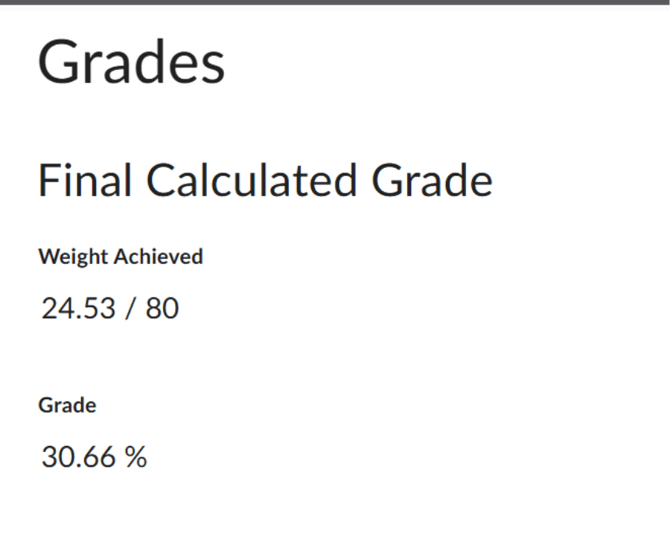
- Your overall course grade or category totals are shown at the top-level rows (not indented) in the table.
- To print your grades, click the "Print" button in the top-right corner of the Grades page.

- To return to your course, click "Course Home" in the top navigation bar.

NOTE: Grades may not appear immediately after submitting. Allow time for your teacher to review and grade your work.
NOTE: If you believe a grade is incorrect, contact your teacher through the Email feature in the course.
NOTE: The "Weight Achieved" column shows how each item contributes to your final grade. Quizzes and tests typically count for 30%, assignments and discussions for 50%, and the final exam for 20% — check your course syllabus for your specific breakdown.