How do I check my progress
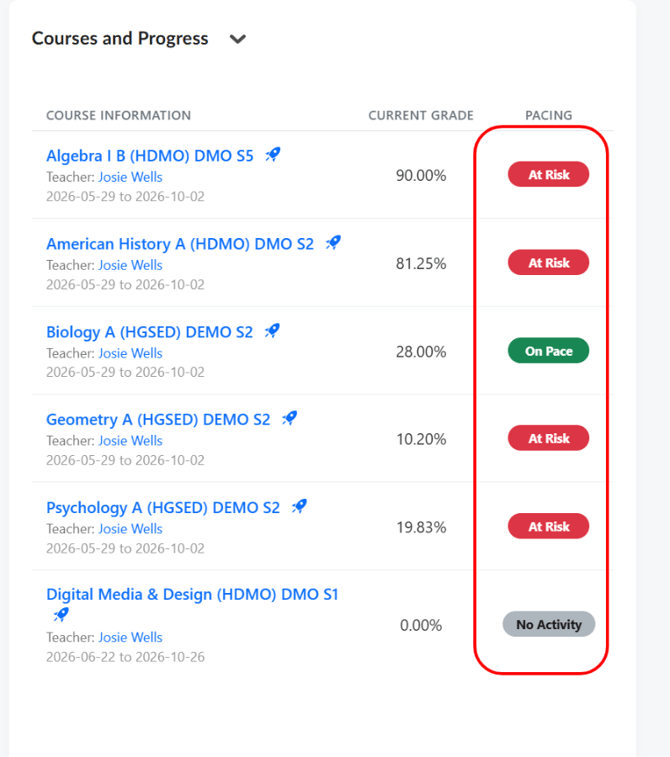
- From your main dashboard, check the "Courses and Progress" section. Each course displays a pacing badge: "On Pace" (green) means you are keeping up with the expected schedule; "No Activity" (gray) means you have not started or have been inactive recently.
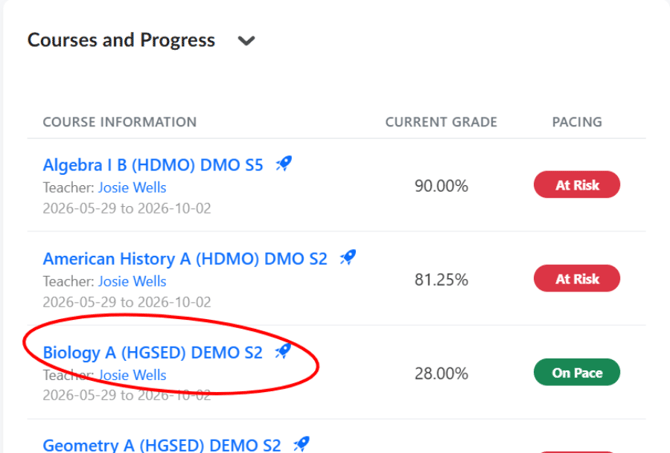
- To get a detailed view of your progress, click on a course name to open the Course Home.
- On the Course Home, look at the "My Learning Journey" section. This shows all the topics in your course as cards, each displaying a progress bar and the number of topics completed (e.g., "6/55 Topics Completed").
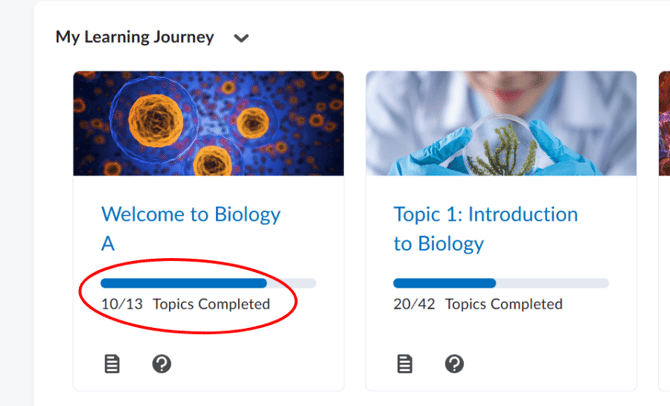
- The progress bar fills from left to right — a fuller bar means more progress. A bar that is barely filled means you have more work to do in that topic.
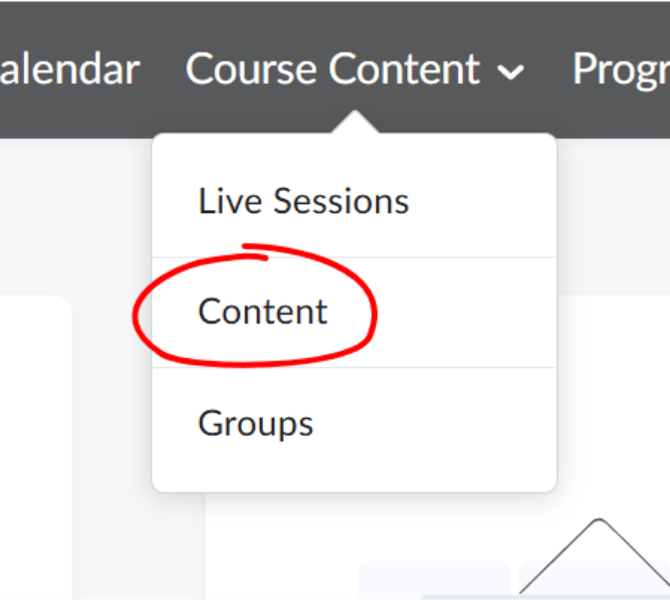
- To see a detailed lesson-by-lesson progress breakdown, click "Course Content" in the course navigation bar, then select "Content."
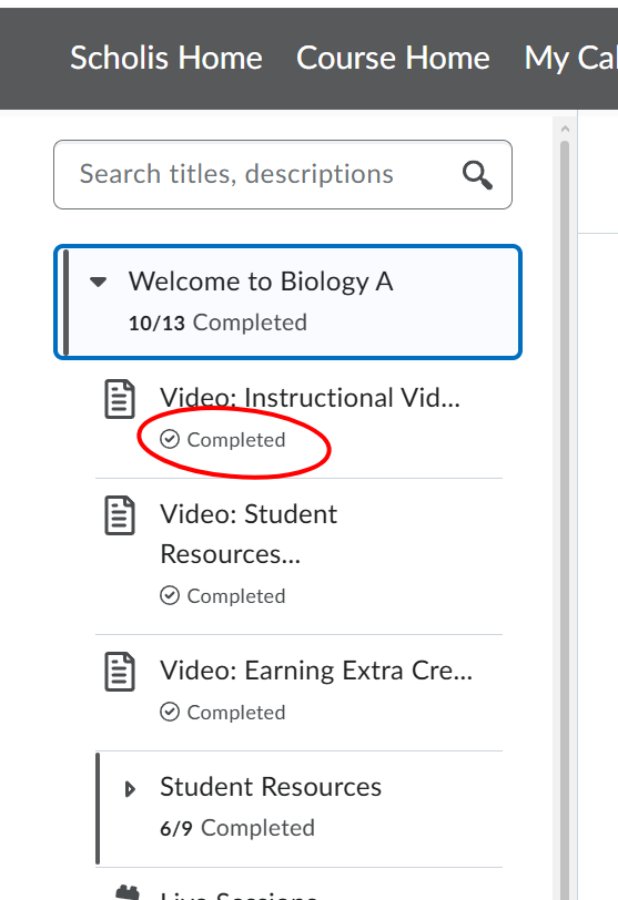
- In the left-side lesson panel, each completed lesson will show a checkmark icon ("Completed"). Incomplete lessons will have no icon.
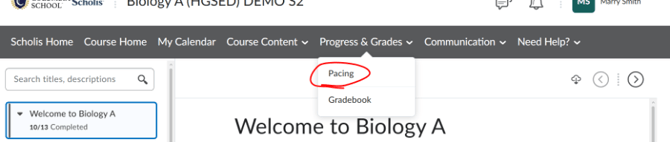
- To check your pacing through the Pacing tool, click "Progress & Grades" in the course navigation bar, then select "Pacing." (Note: this opens a detailed pacing report showing where you should be versus where you are.)
- If you see that you are behind pace, focus on completing the lessons and activities in the earliest incomplete topics first.
- Return to the dashboard and review the "To Do List" to see which items are due soonest — prioritize those first.
- Check your pacing at least once per week to ensure you do not fall behind.
NOTE: "On Pace" means you are completing lessons at the expected rate for your course schedule.
NOTE: "No Activity" may appear if you have not logged in or completed any work recently — get back on track as soon as possible.
NOTE: Progress through lessons is tracked automatically — you do not need to manually mark anything as complete in most cases.
NOTE: If you feel you are significantly behind and cannot catch up, reach out to your teacher proactively for guidance. Use the Email feature to contact them.
NOTE: Pacing is especially important in self-paced or asynchronous courses where there is no live class to keep you on schedule.